Magora· Projects· Congress Companion
Events & conferences · Case study Conference app 2026

Congress Companion.

A conference app and organiser back office for a two-week international leadership forum hosted in the UK: the programme, several regional study tours, a delegate directory and a shared photo wall, designed and built end to end.

Client
International leadership forum (under NDA)
Industry
Events & conferences
Stage
Discovery · design · build
Scope
Delegate app + organiser CMS
Year
2026
Services
Discovery · UX · Web and mobile development
Delivery
Magora London
Domain
Events & conferences
Audience
~100 delegates · 50+ nations
Platforms
Mobile web app · desktop CMS

An international leadership forum brings around a hundred senior delegates from more than 50 nations to the UK for two weeks. The format is demanding: an opening plenary in London, then ten days in which the group splits across several parallel regional study tours, each with its own hosts, site visits and schedule, and finally a closing plenary where every tour reports back, ending in a gala dinner.

The organisers were running all of this on PDFs, spreadsheets and e-mail. Delegates could not see at a glance what was next for them, room changes reached people late, and there was no easy way for a transport official from one country to find the city planner from another who shared their interests. The organising team also needed a single place to publish the programme, send announcements and moderate what delegates post.

They came to us with three documents that did not agree with each other: a narrative brief, an app specification and a costed MVP breakdown. We agreed with them up front that the costed breakdown was the scope authority, and built to it.
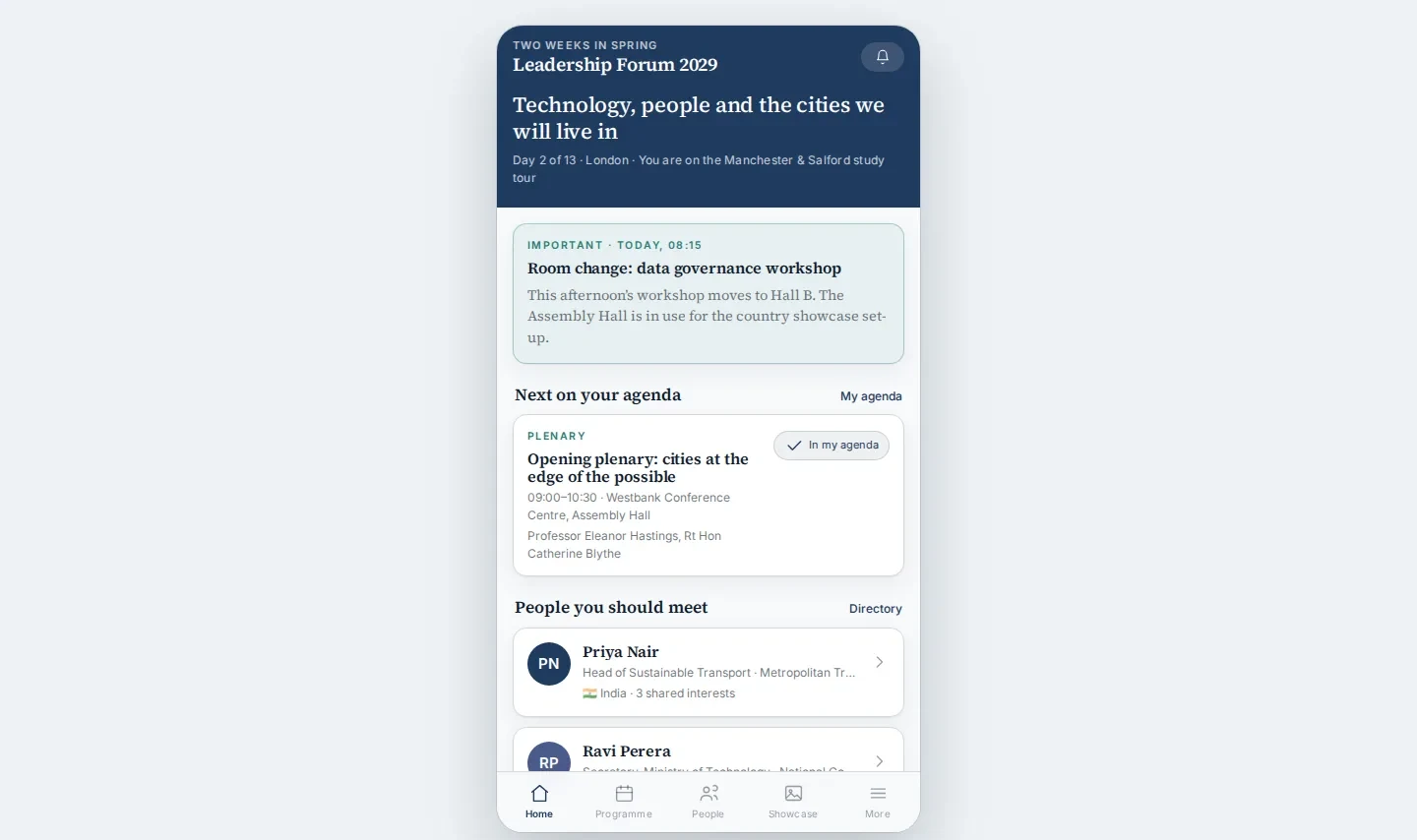
We built both halves of the product end to end: a mobile-first delegate app and a desktop organiser back office working on the same data.

Conference app home screen on desktop
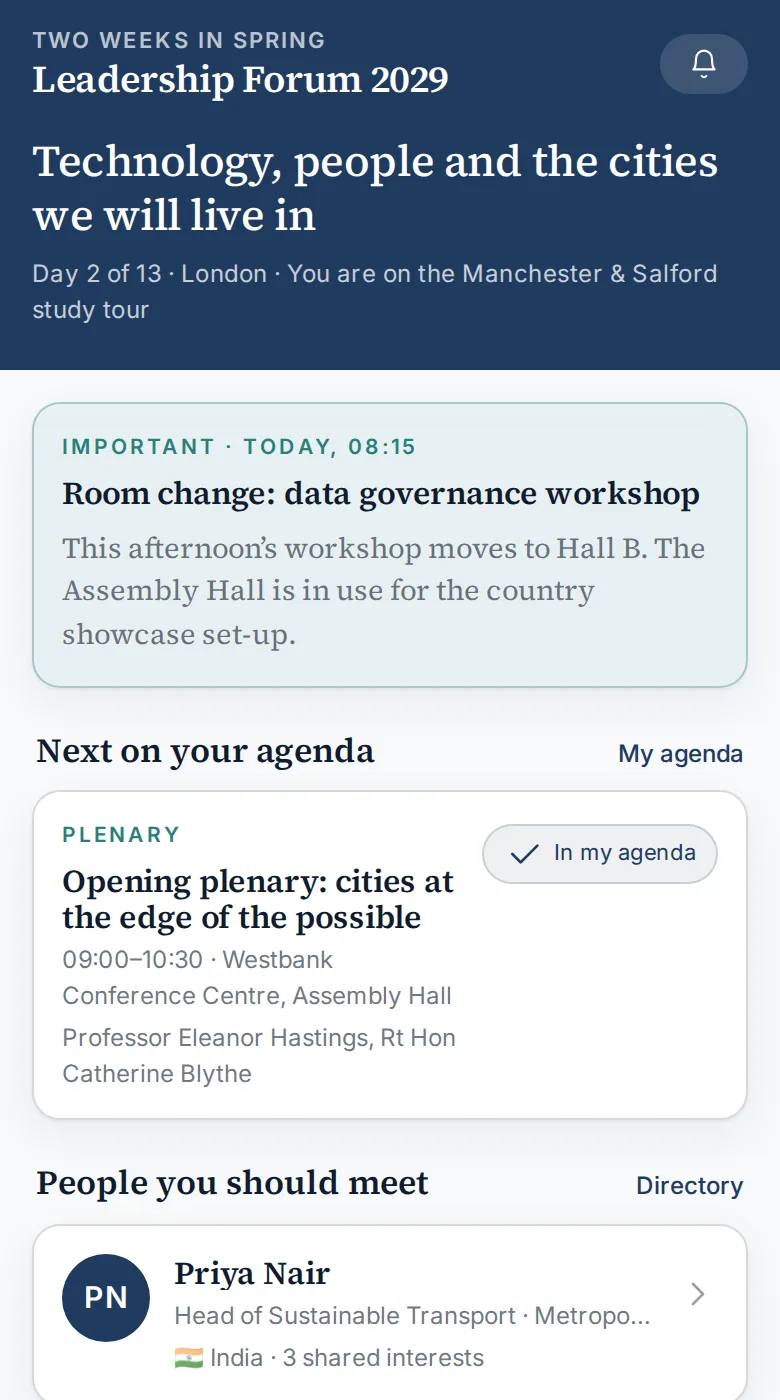
Delegate app: home, with today's announcement and next agenda item

The delegate app

  • Home that knows where you are. Today's day number, the city, the delegate's own study tour, urgent announcements (such as a room change) pinned at the top, and the next session in their personal agenda.
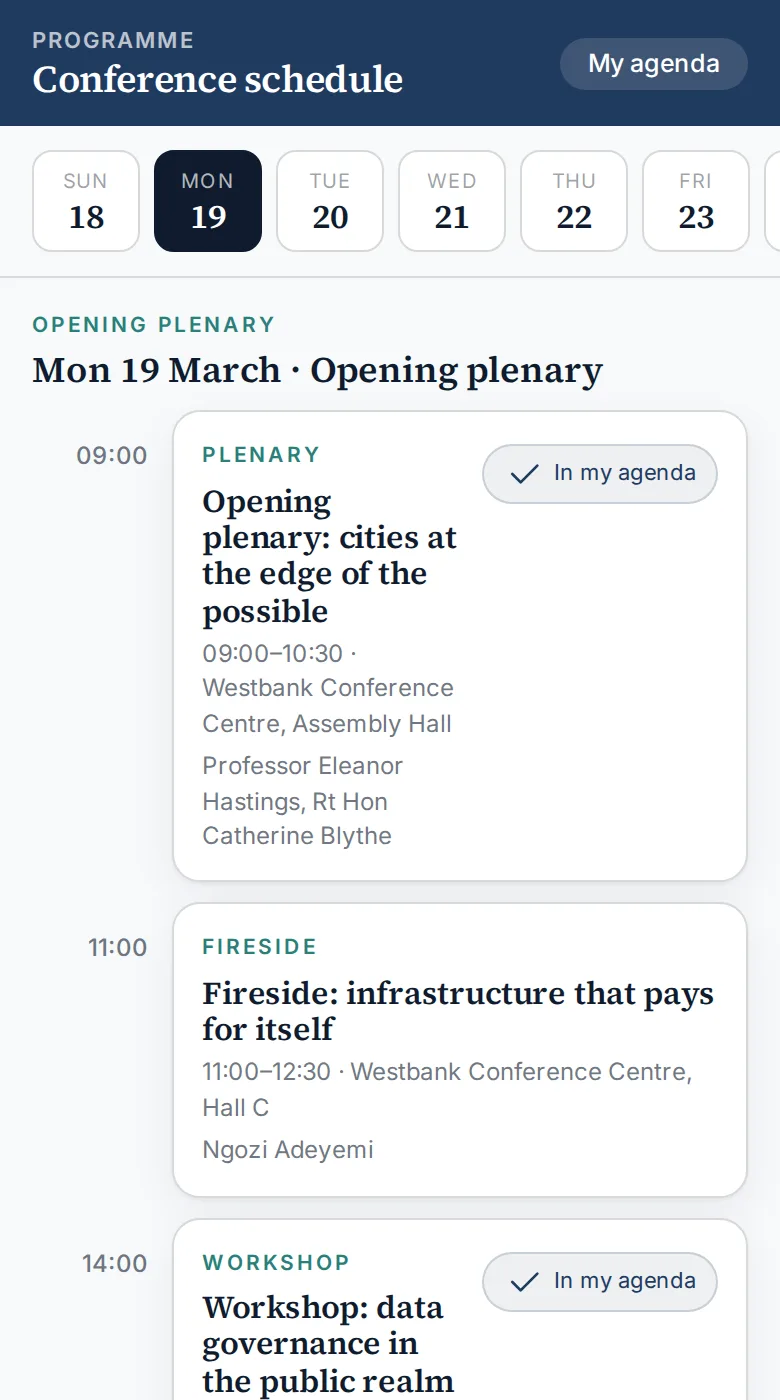
  • Programme and "my agenda". A day-by-day schedule across the whole conference; delegates add sessions to their own agenda with one tap.
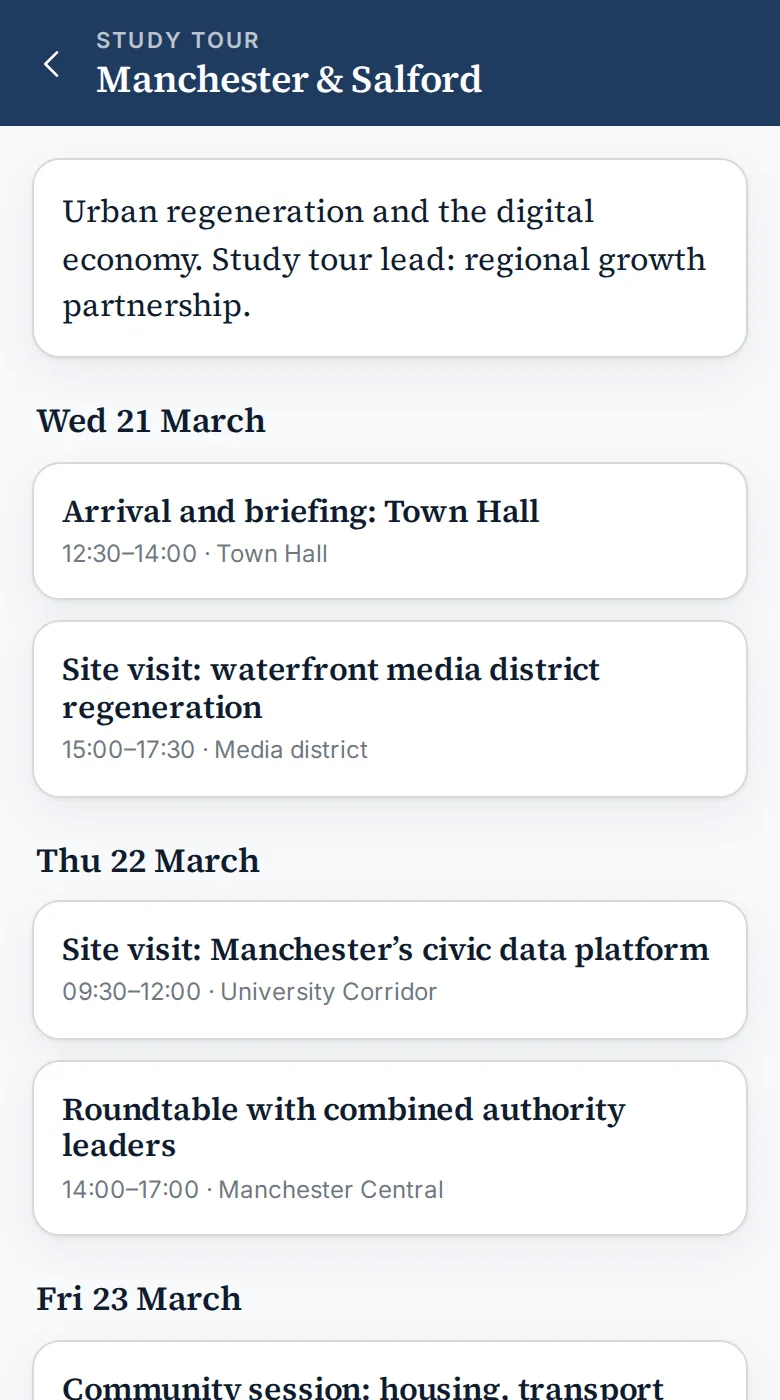
  • Study tours. Each regional tour has its own schedule, lead partner and site visits, so a delegate on one tour is not buried in everyone else's itineraries.
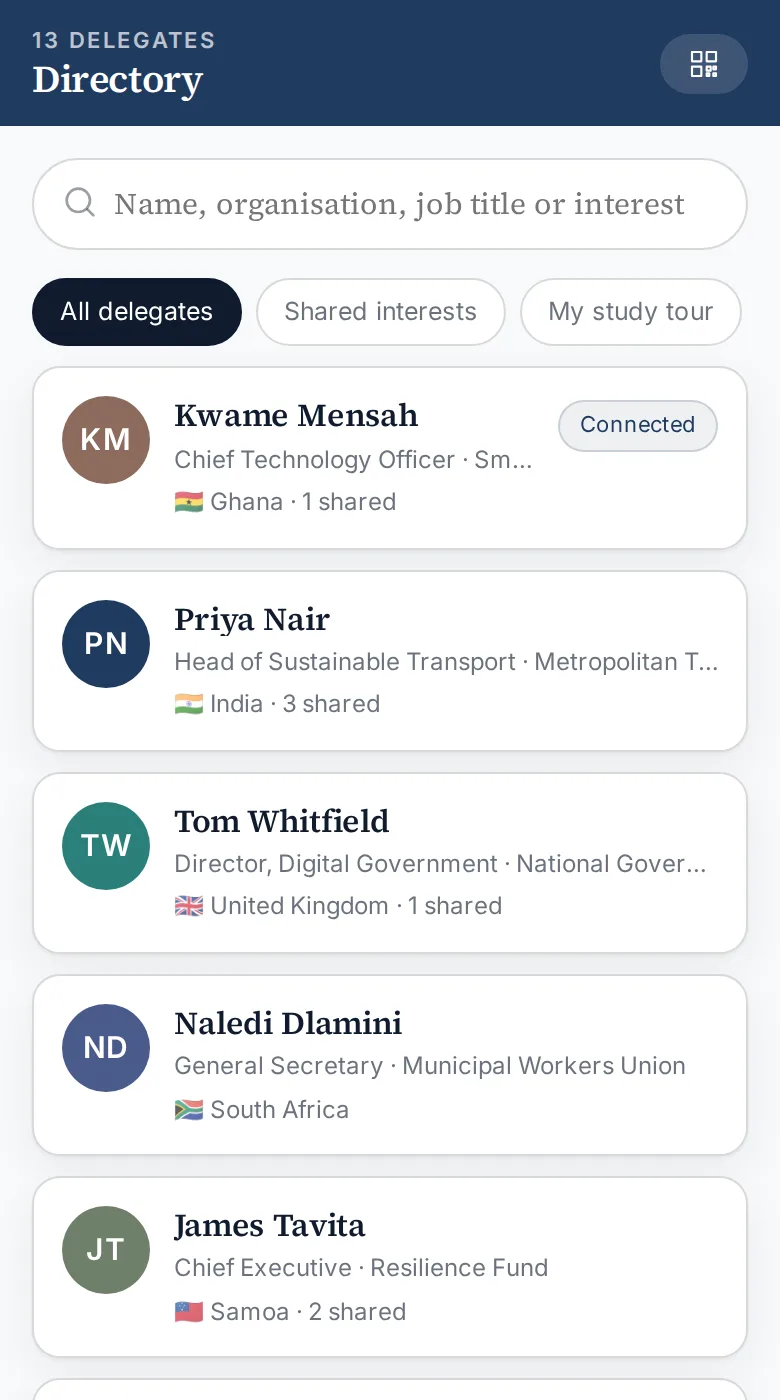
  • Delegate directory and connections. Search by name, organisation, job title or interest; filter to shared interests or your own tour; connect by scanning a personal QR code.
  • Contact details the delegate controls. Phone, e-mail, WhatsApp and LinkedIn are each published or hidden by the delegate, and hidden details are never sent to other devices at all.
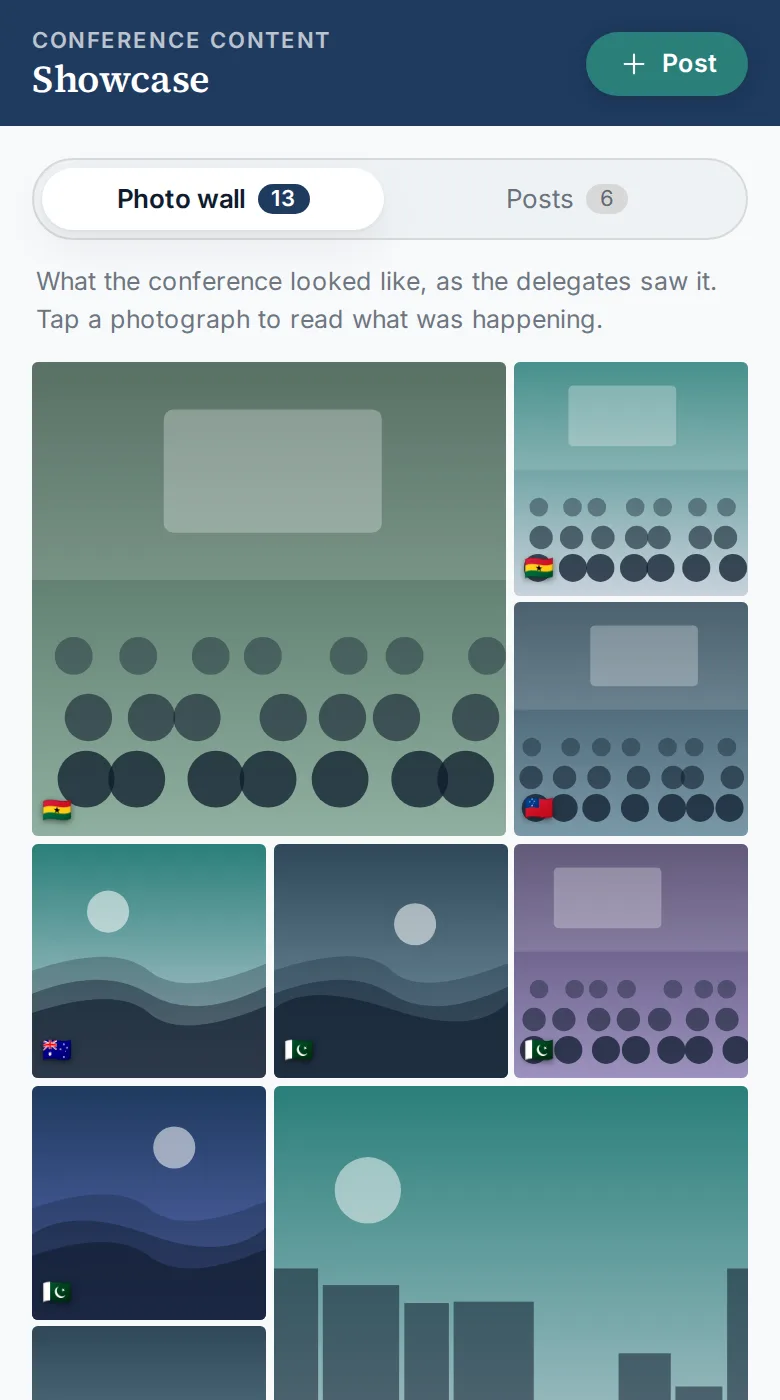
  • Showcase. A photo wall of the conference as delegates saw it, with written posts and comments behind a second tab, plus a country showcase with one profile per participating nation.
  • Speakers, venues and resources. Speaker profiles, venue information and a resources library of pre-reading and briefing papers.
Delegate home screen
Home
Conference programme screen
Programme
Delegate directory screen
Directory

The organiser back office

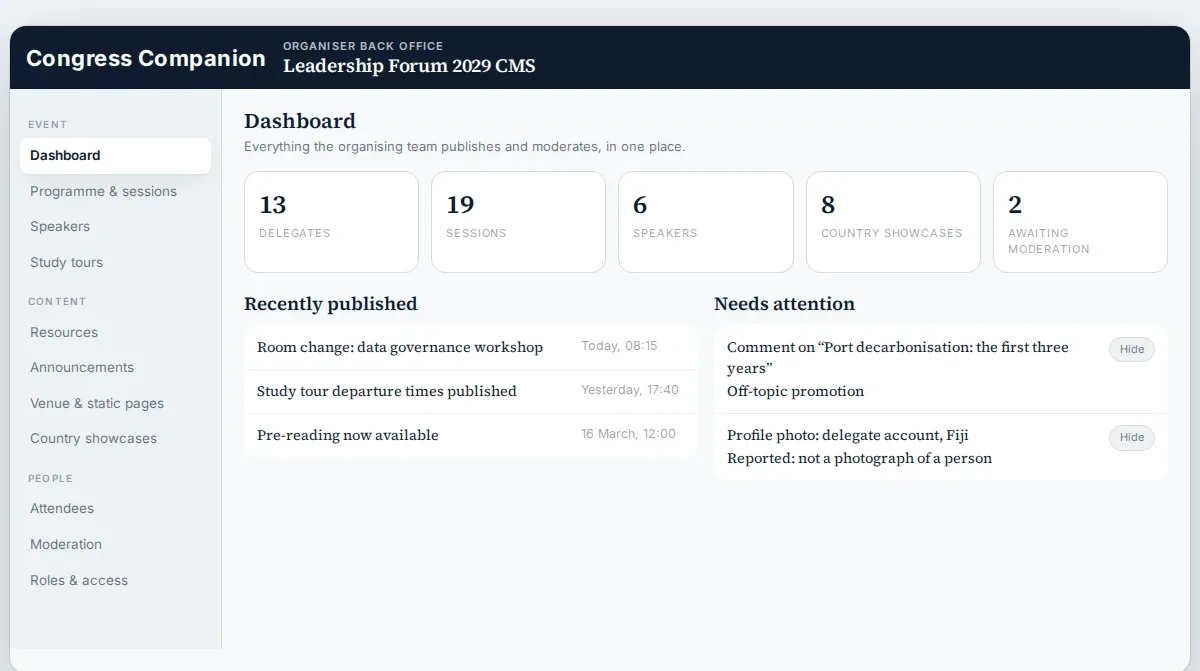
A single CMS where the organising team publishes the programme, sessions, speakers and study tours; manages resources, announcements, venue pages and country showcases; administers attendees, roles and access; and moderates comments and photos reported by delegates. The dashboard surfaces what was published recently and what needs attention.

Organiser back office dashboard
Organiser back office: dashboard, publishing and moderation

Decisions we made with the client

  • No in-app chat in the MVP. The narrative brief asked for messaging; the costed scope replaced it with contact-detail visibility controls. Delegates still reach each other, on channels they already use, at a fraction of the cost and moderation burden.
  • Wish-list items kept out of version one. Live streaming, in-room polling, analytics dashboards and AI matching were parked for later phases, so the first release could ship on budget.
  • Photos first. The showcase leads with pictures, because that is what delegates actually share on a study tour; long-form posts sit one tap away.
Study tour schedule screen
Study tour
Photo wall screen
Showcase: photo wall

The project turned three conflicting documents into one agreed scope. The client could go through every delegate screen and every organiser section, see exactly what version one would and would not include, and make the call on messaging, streaming and analytics with the trade-offs in front of them rather than in a spreadsheet.

Client names and figures in the screenshots have been changed. It is the way we run most projects: discovery first, so every build decision is made on something the client can use. See our discovery phase and MVP development services.

The project in numbers.

16
Delegate app screens
11
Organiser CMS sections
2
Audiences, one data model
Per-tour
Study-tour schedules
4
Contact channels, each opt-in
0
Build step: runs from one file
£32k
Approx. build budget (MVP)
8 weeks
Approx. time to launch

Budget estimated from our discovery and development breakdown; indicative, excluding VAT. Every project is priced after a discovery sprint.

Tech stack.

HTML5CSS custom properties Vanilla JavaScriptClient-side routing Inline SVGResponsive: phone + desktop

The product is designed as a cross-platform mobile app with a web organiser portal on a shared API. Planning an event or conference app? We also build hospitality and events products.

Planning a conference or event app?

We will show you how this project maps to your programme, delegates and organising team, and what we would build first.

Talk to the team
— Cookies

We use cookies to measure traffic and make our marketing more relevant. Necessary cookies stay on. See our Privacy and Cookie Notice.

Free 30-min consult Free consult