Magora›Projects›Building Document Portal
Real Estate & Property · Case studyWeb portal2026

Building Document Portal.

A secure tenant portal for a UK commercial property managing agent: every tenant sees the documents for their own building, floor and lease — and the property manager decides who gets in.

Client
UK commercial property managing agent
Industry
Real Estate & Property
Stage
Discovery → web portal
Roles
Tenant · Property manager · Super admin
Year
2026
Services
Discovery · UX · Web development
Delivery
Magora London
Domain
Commercial property management
Focus
Tenant portal · Document management
Security
Approval-gated access · Email 2FA

A UK commercial property managing agent looks after a portfolio of multi-let office buildings in London, Birmingham, Leeds, Manchester and Edinburgh. Every building produces a steady stream of documents that tenants are entitled to see: service charge budgets and reconciliations, utility and VAT invoices, fire risk assessments and other health & safety reports, newsletters, occupier handbooks and fit-out guides.

Those documents were being sent by email, one tenant at a time. Surveyors spent hours answering “can you resend the reconciliation?”, tenants who had moved out still sat on distribution lists, and nobody could say who had actually seen a fire risk assessment. The agent wanted one secure place where each tenant sees exactly the documents for their building, floor and lease period — and nothing else.
We started from the agent's discovery notes and turned them into a working web portal — following the same discovery-first approach we use on every build. The aim was to let surveyors, partners and a couple of friendly tenants use the real journeys and argue about the details while changes were still cheap.

Three decisions shaped the design:

  • Access follows the lease, not the person. A tenant is registered against a building, floor and unit with a lease start and end, and only sees documents inside that window — so a new occupier never sees a predecessor's invoices.
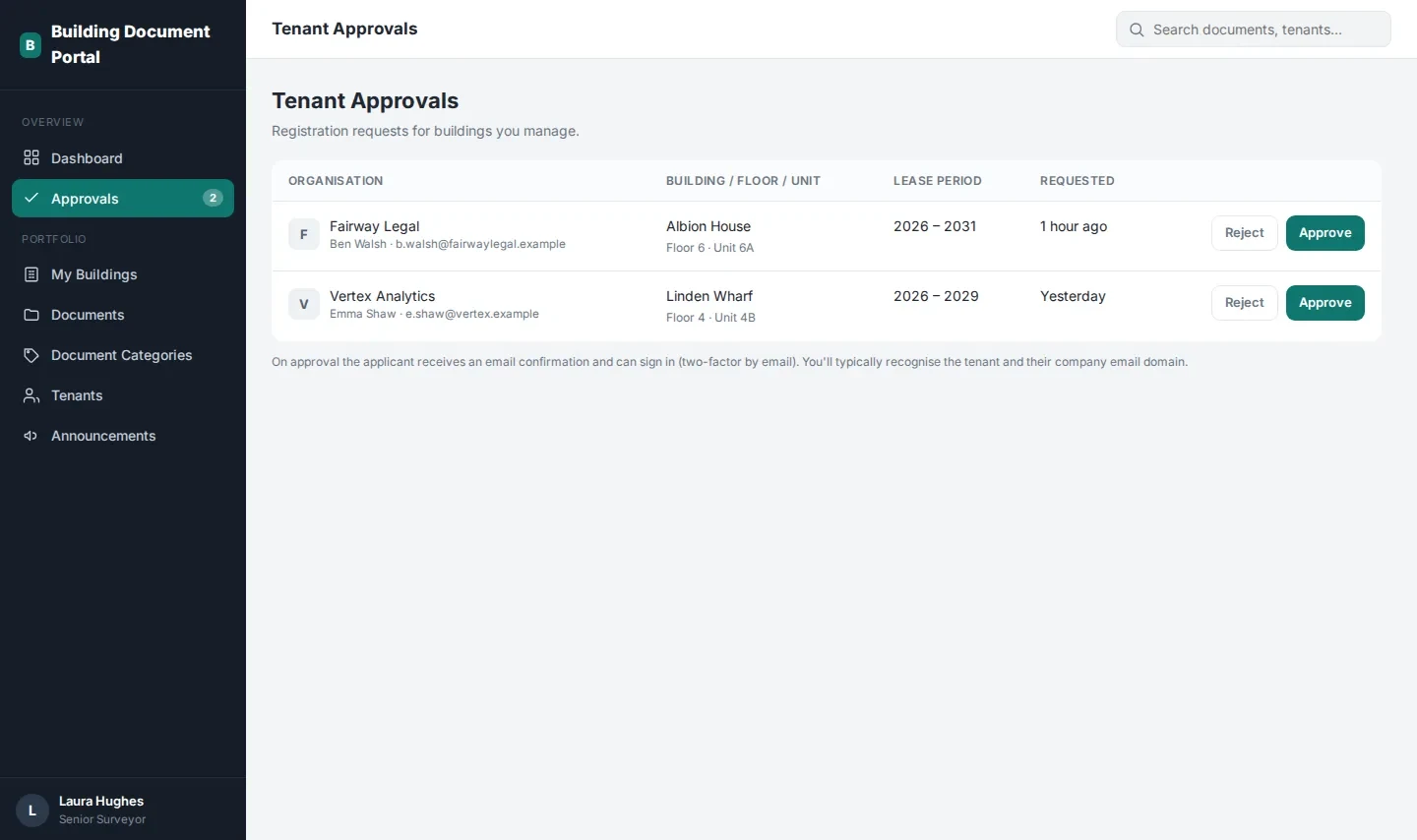
  • The property manager stays the gatekeeper. Tenants self-register, but nothing is visible until the surveyor responsible for that building approves the request — they recognise the company and its email domain.
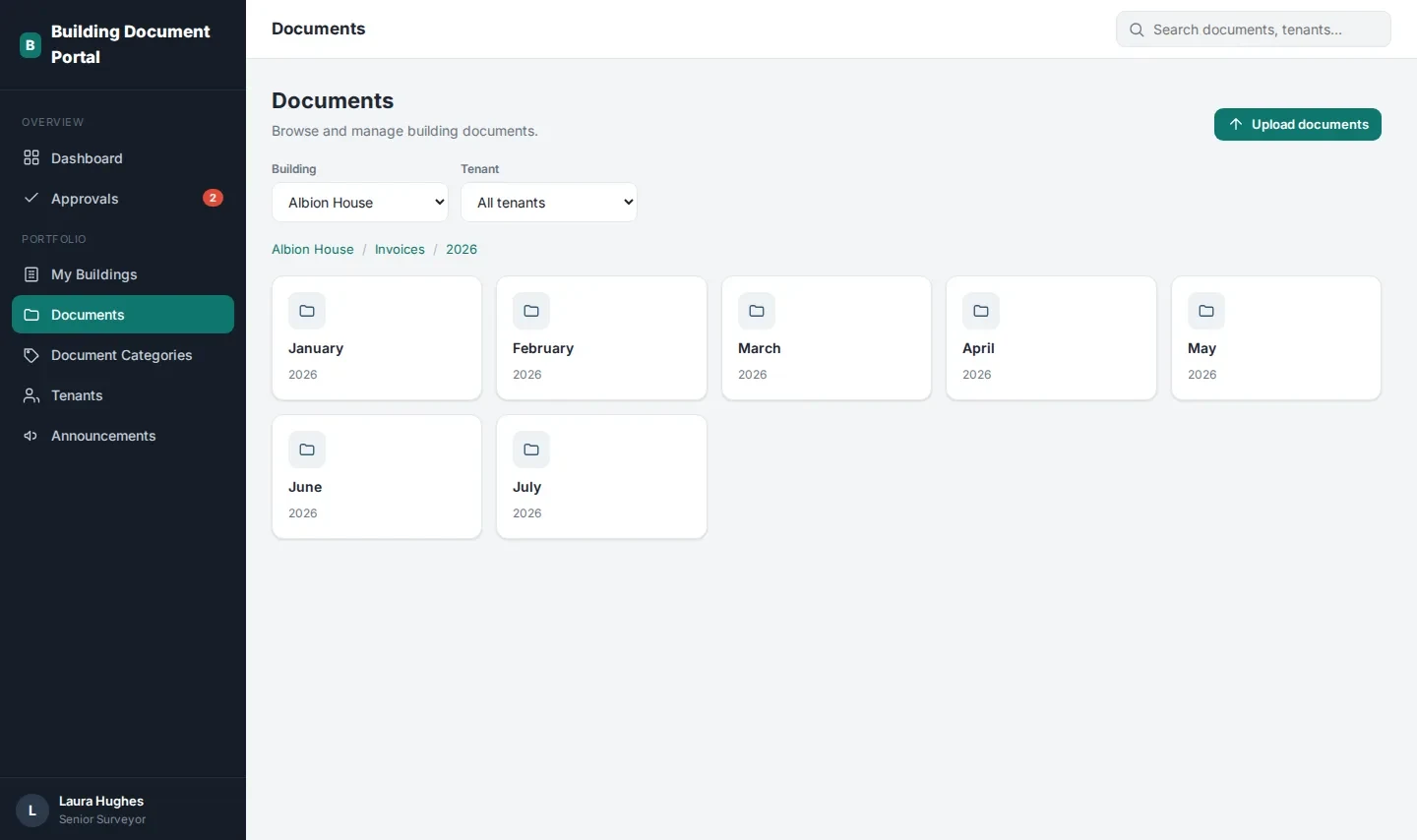
  • Filing has to be boring. Periodic documents (invoices, utilities, VAT) are filed by year and month; everything else by year. A single upload can cover a range of periods, so a back-catalogue of invoices goes in in one go.

For tenants

  • Self-registration for an organisation against a building, floor and unit, with the building picked from an autocomplete list.
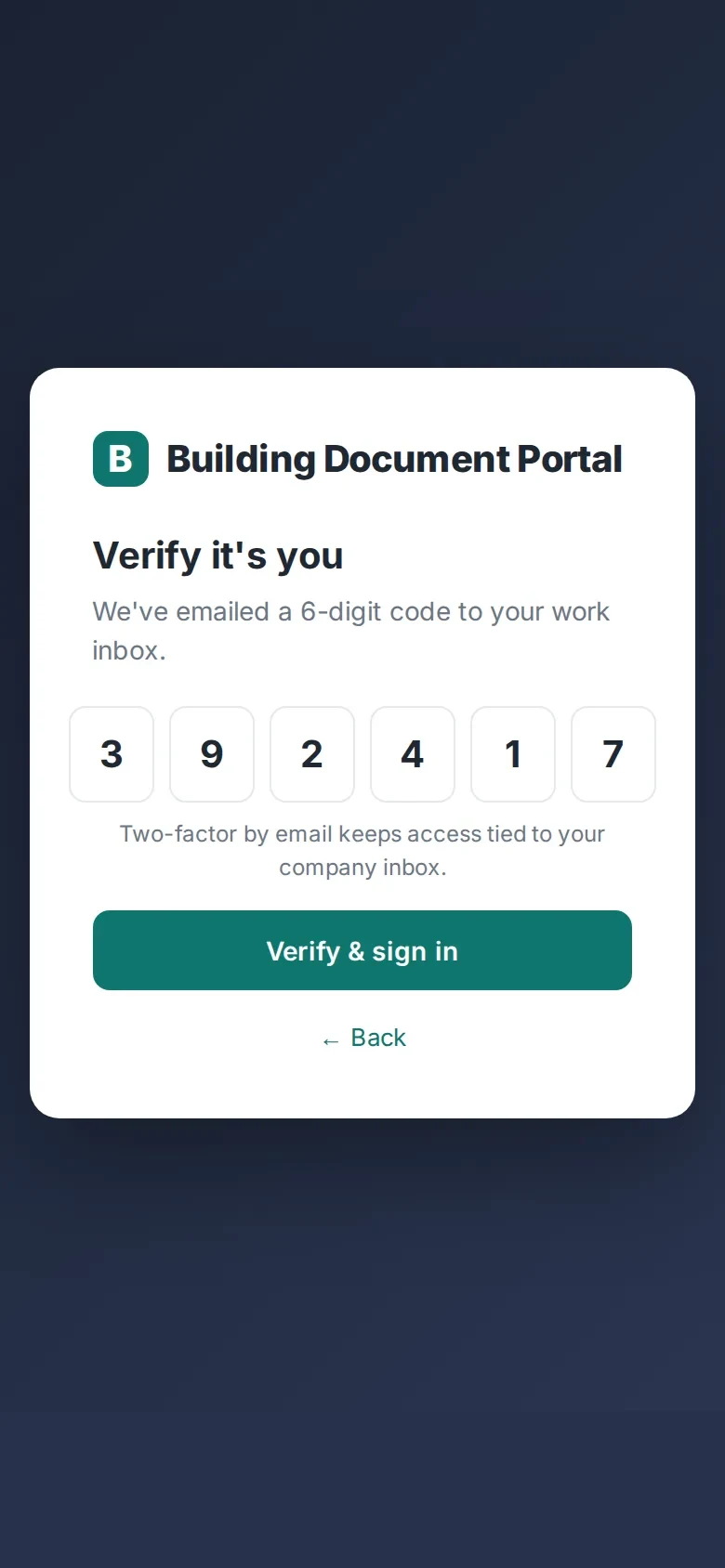
  • Sign-in with email two-factor authentication, so access stays tied to the company inbox.
  • “My Documents”: a folder view by category, year and month, limited to the tenant's own lease period.
  • Building announcements and a “My Tenancy” page showing the lease details and the responsible property manager.
Document archive by building, category, year and month

For property managers

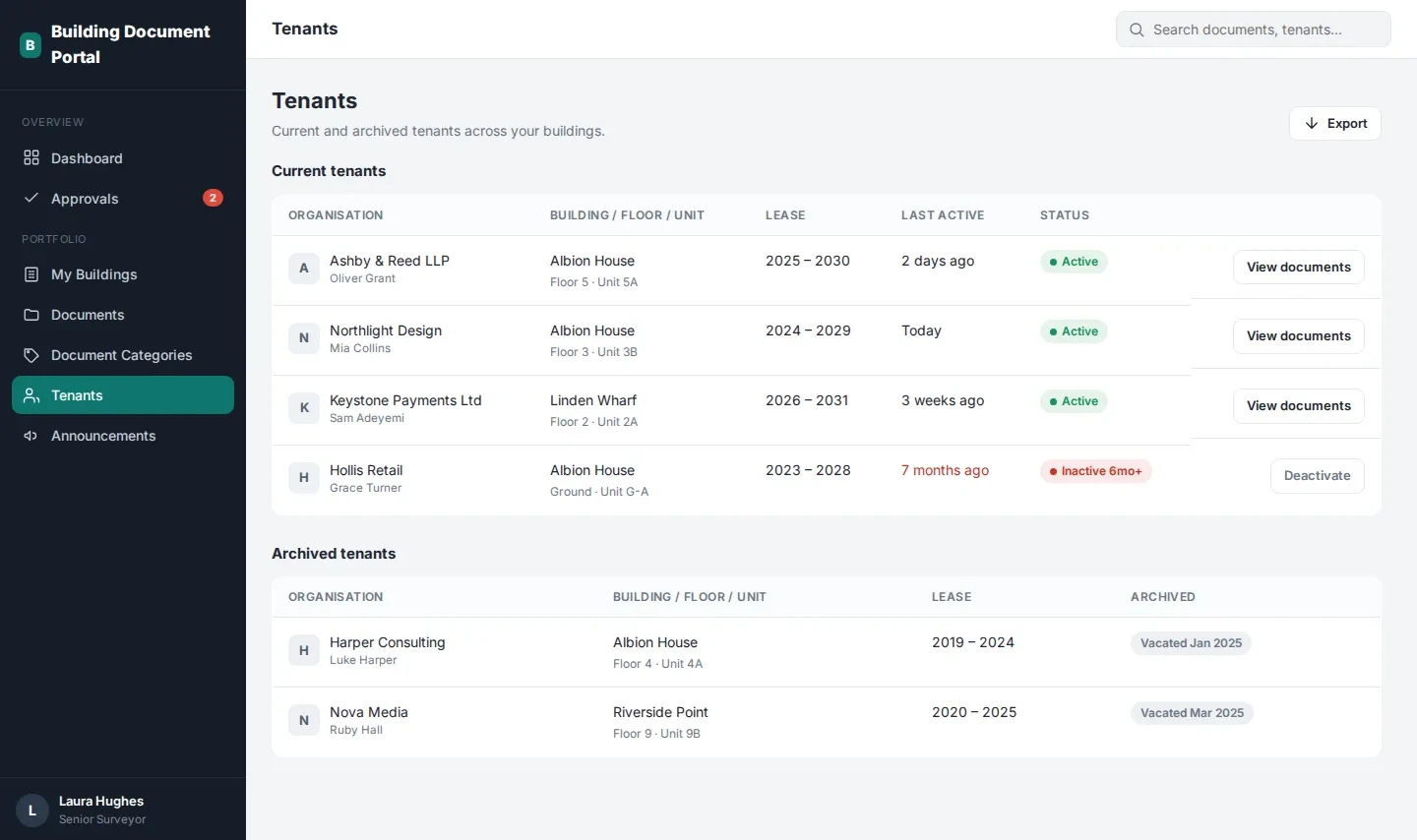
  • A dashboard with registrations awaiting approval, tenants flagged as inactive and recent document activity.
  • One-click approve or reject, with the applicant notified by email.
  • Bulk upload with category and period, plus a document browser filtered by building and by tenant — so a surveyor sees exactly what a given tenant sees.
  • Tenant management: accounts with no sign-in for six months are flagged for deactivation, and former tenants move to an archive instead of being deleted.
  • Building-wide announcements (fire alarm tests, lift maintenance, newsletters) that email every tenant in the building.
  • Editable document categories, including removing VAT invoices for buildings that are not VAT-registered.
Tenant registration requests waiting for the property manager's approval
Tenant list with the six-month inactivity flag and archived tenants

For the super admin

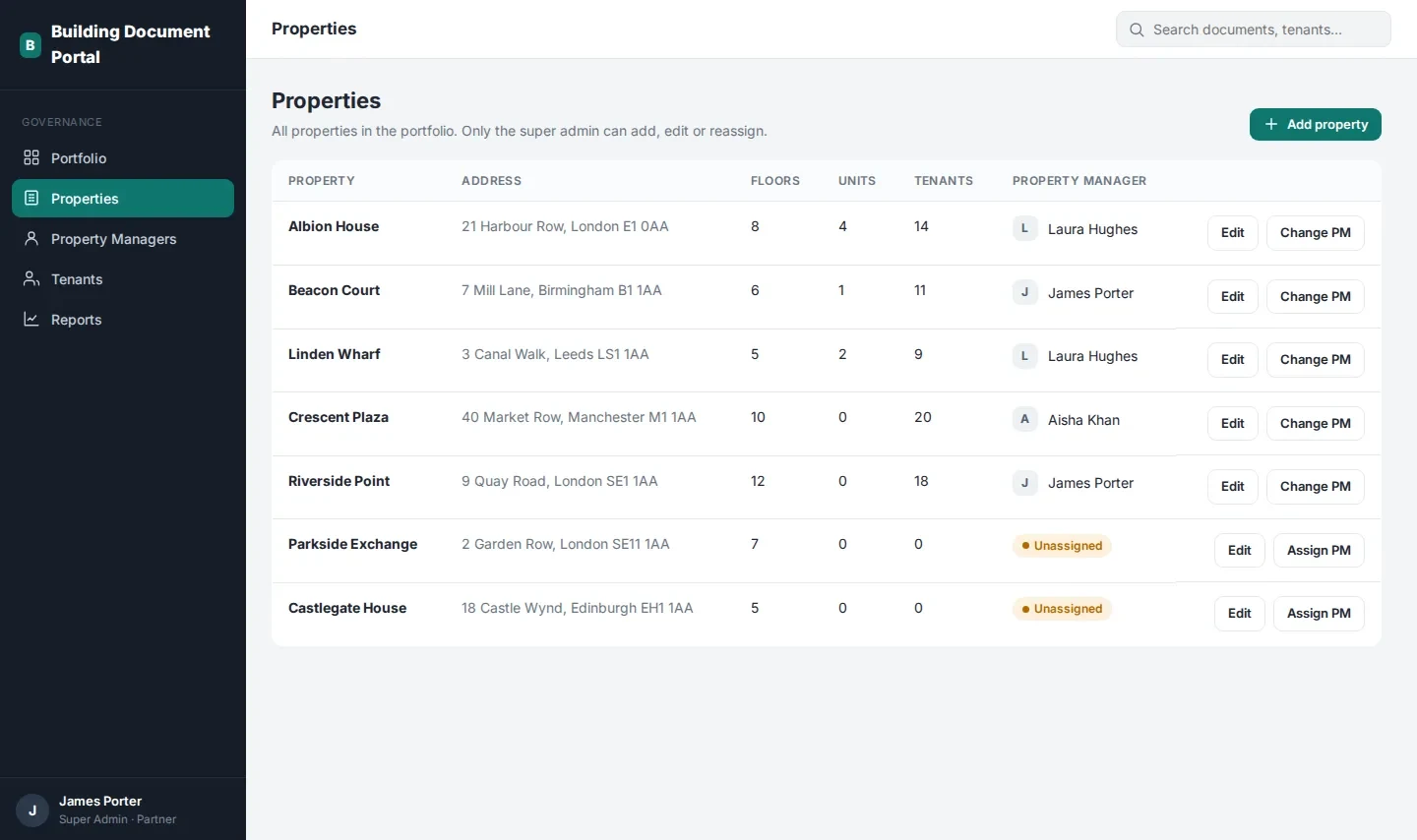
  • A portfolio overview with properties still waiting for a manager.
  • Property set-up with floors and lettable units, and assignment or reassignment of the responsible property manager.
  • Property manager accounts with email invites and per-building access.
  • One-click Excel reports: all tenants, inactive users and a documents summary by property and category.
Super admin view: properties, units and property-manager assignment

The outcome is a portal covering all three roles end to end — registration and approval, two-factor sign-in, the document archive, announcements, inactivity flagging and reporting. It gave the agent something concrete to put in front of surveyors and tenants, and a shared picture of scope for the next releases.

Every building, address, company and person in the screenshots has been changed to protect the client.

Email two-factor sign-in on a phone

Budget and timeline.

£3k
Discovery sprint
2 weeks
Discovery timeline
£18–25k
MVP portal, 3 roles
8–10 weeks
MVP time to launch

Typical budget for a portal of this scope, from our published price bands; indicative, excluding VAT.

Tech stack.

HTML5CSSVanilla JavaScriptRole-based UIResponsive layout

The front end is a single-page app that works on any device, and the back end follows our standard stack for secure web portals — see bespoke software development and web development.

Managing a property portfolio?

See the portal in action.

Book 30 minutes with the team that built it — we will go through the tenant, property manager and admin views and what we would build first for you.

Talk to the team
— Cookies

We use cookies to measure traffic and make our marketing more relevant. Necessary cookies stay on. See our Privacy and Cookie Notice.

Free 30-min consult Free consult