Magora·Projects·Family event discovery app
Consumer & family apps · Case studyDesign & build2026

A family event discovery app for weekend plans.

Magora designed and built a family event discovery app for a start-up: parents add their children once, and the app shows what is on nearby that suits their ages, on a list or a map, with one-tap RSVP for the whole family.

Client
UK family-tech start-up
Industry
Family & leisure
Stage
Design & build
Platforms
Web · Mobile
Services
Discovery · UX/UI design · Web app development
Delivery
Magora London
Domain
Family event discovery
Engagement
Fixed-scope build
Screens
7 · onboarding, home, discover, map, event, saved, family

The client is a start-up building a family event discovery app. Their starting point was a familiar one for any parent: finding something to do with the children at the weekend means a dozen tabs, a few local Facebook groups and a lot of scrolling past events for the wrong age.

The listings exist — councils, libraries, venues and clubs all publish them — but none of them know that one child is four and the other is seven, or that the family would rather stay within a couple of miles. The brief was an app that answers one question quickly: what can we do this weekend that suits our kids?
We started with a short discovery phase to agree the few moments that matter: telling the app about the children, seeing this weekend's options, checking one event properly and committing to it. Everything else was built around those four steps.

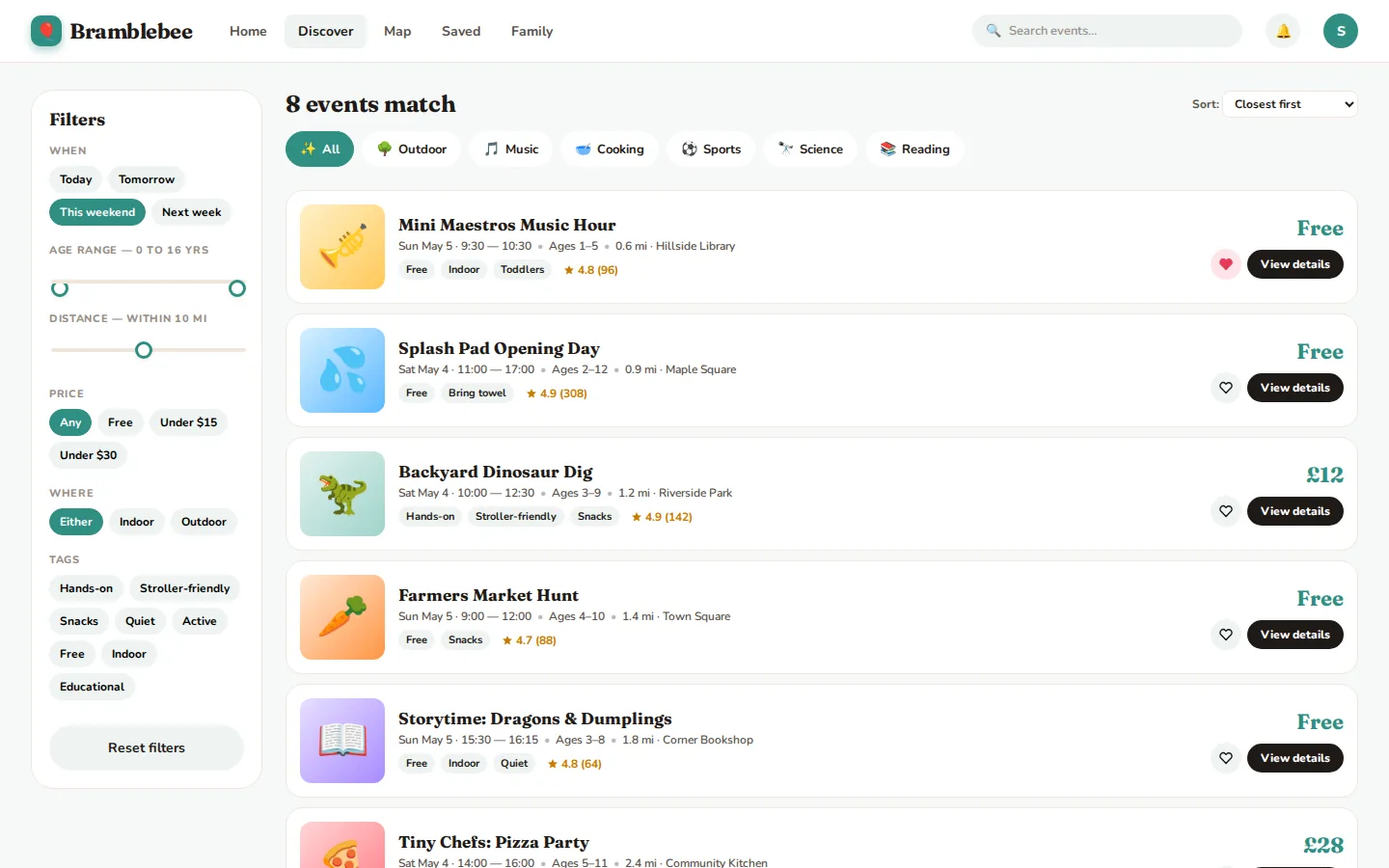
Two decisions shaped the design. First, the children are the filter: ages are captured once at onboarding and applied everywhere, so no screen ever shows an event the family cannot go to. Second, one product, two surfaces: a mobile layout with a bottom tab bar for use on the go, and a desktop layout with a top navigation and a filter sidebar for planning ahead, both built from the same components.

The visual language is warm and friendly without being childish: rounded cards, clear prices and age ranges on every card, and a calm palette defined as design tokens so it can be re-themed without redrawing screens.

What we built

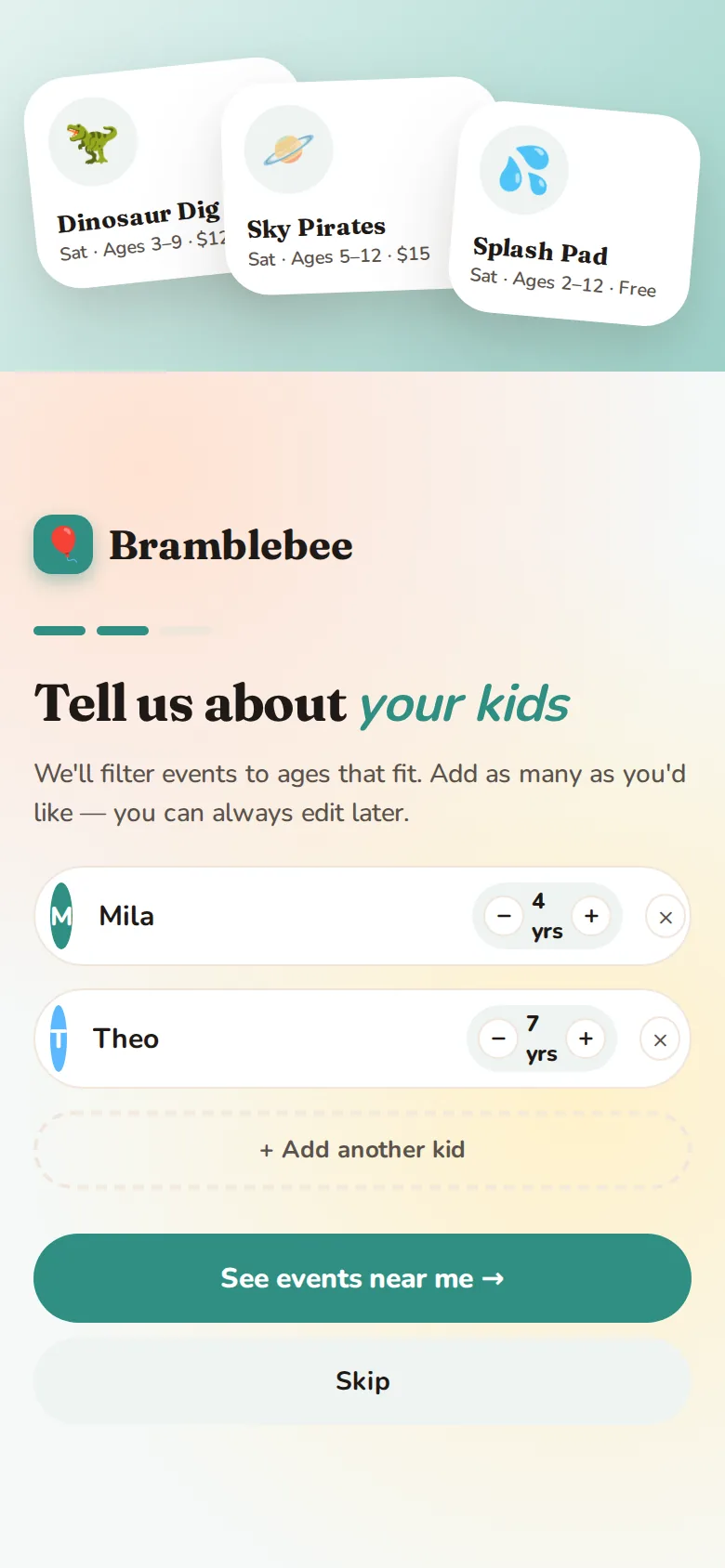
  • Onboarding. Parents add each child with their age in a few taps; the app uses those ages everywhere else.
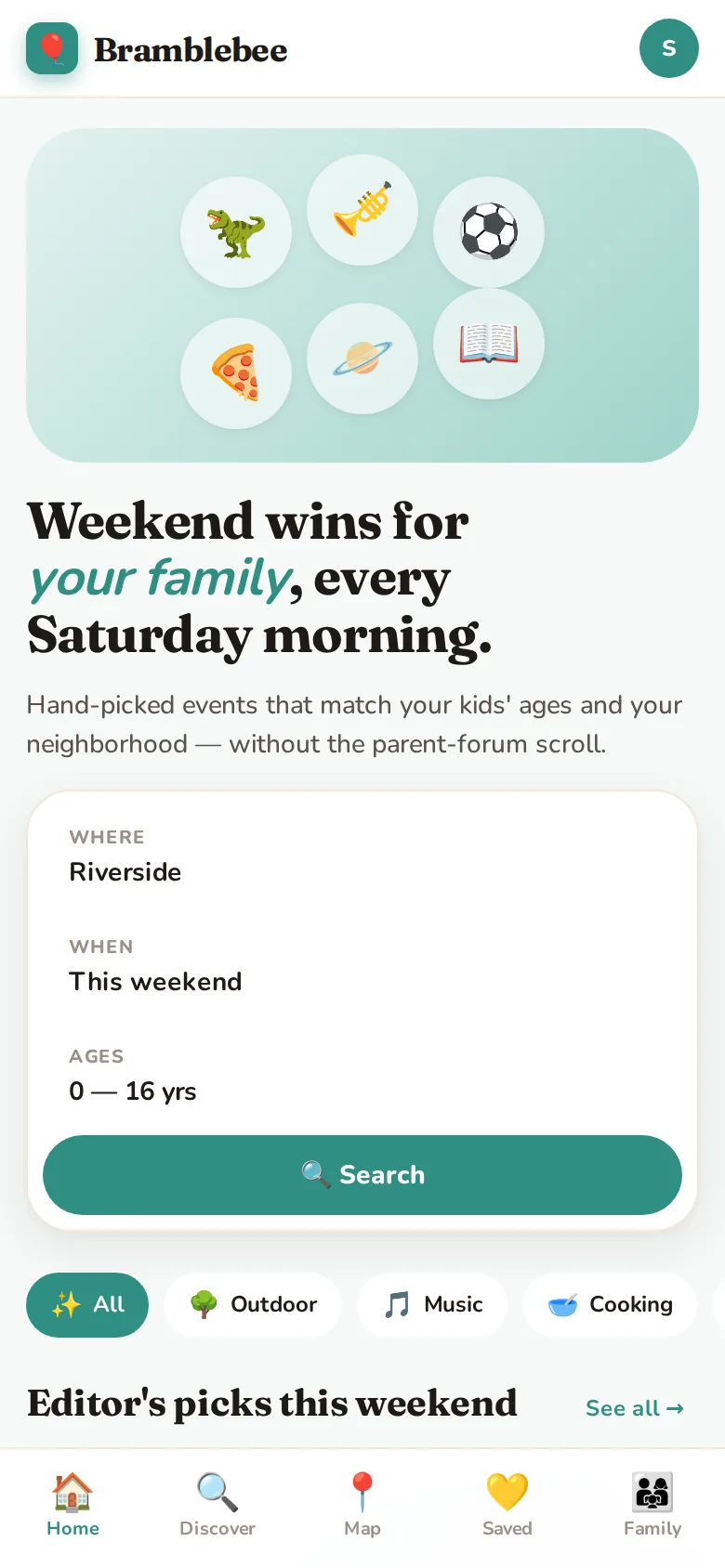
  • Home. "Weekend wins" search by place, date and age range, category chips, editor's picks and free events nearby.
  • Discover. The full list with filters for day, age range, distance, price, indoor or outdoor and tags such as hands-on, stroller-friendly or quiet.
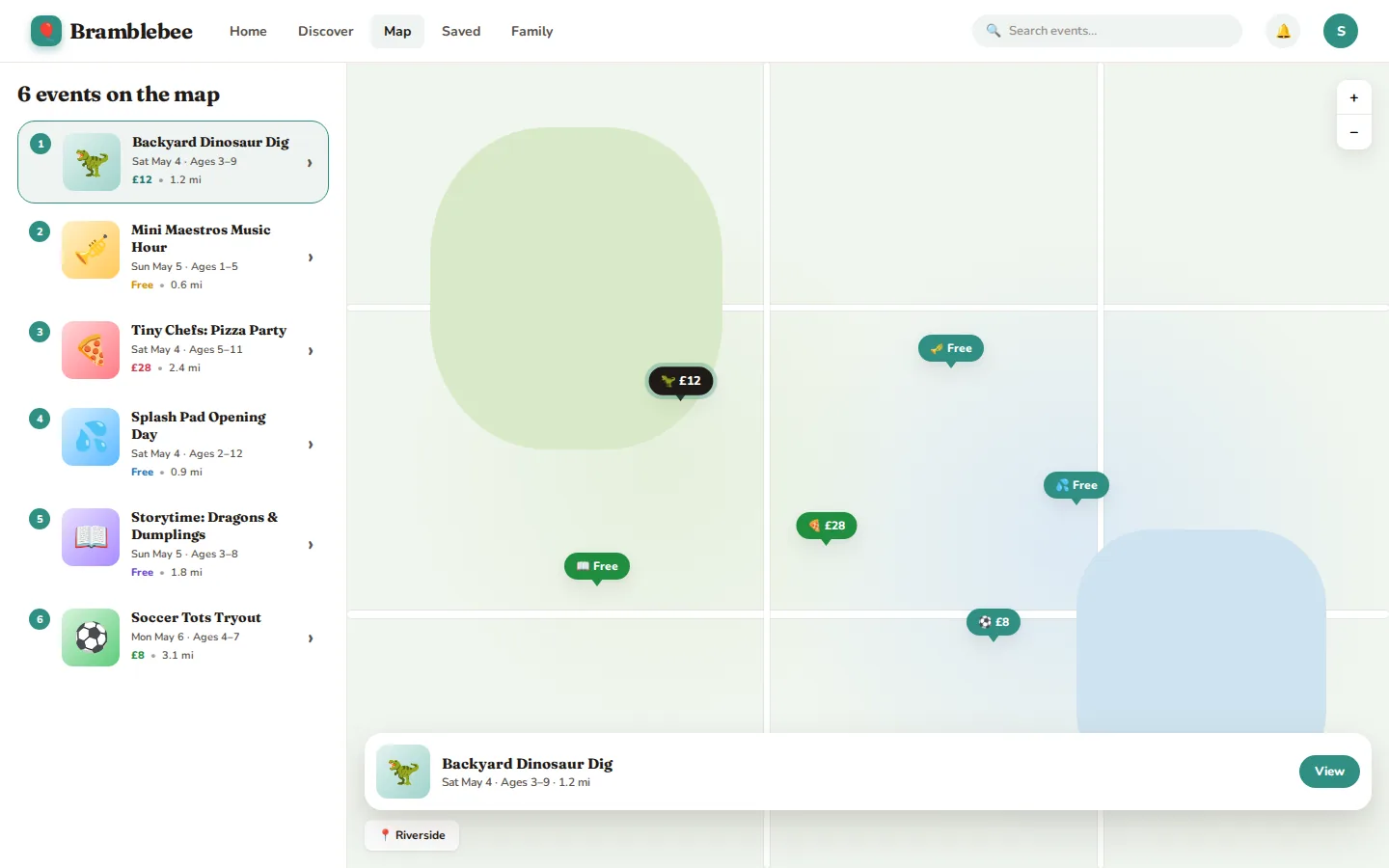
  • Map. Events plotted with their price on the pin, a numbered list alongside and a quick preview card for the selected event.
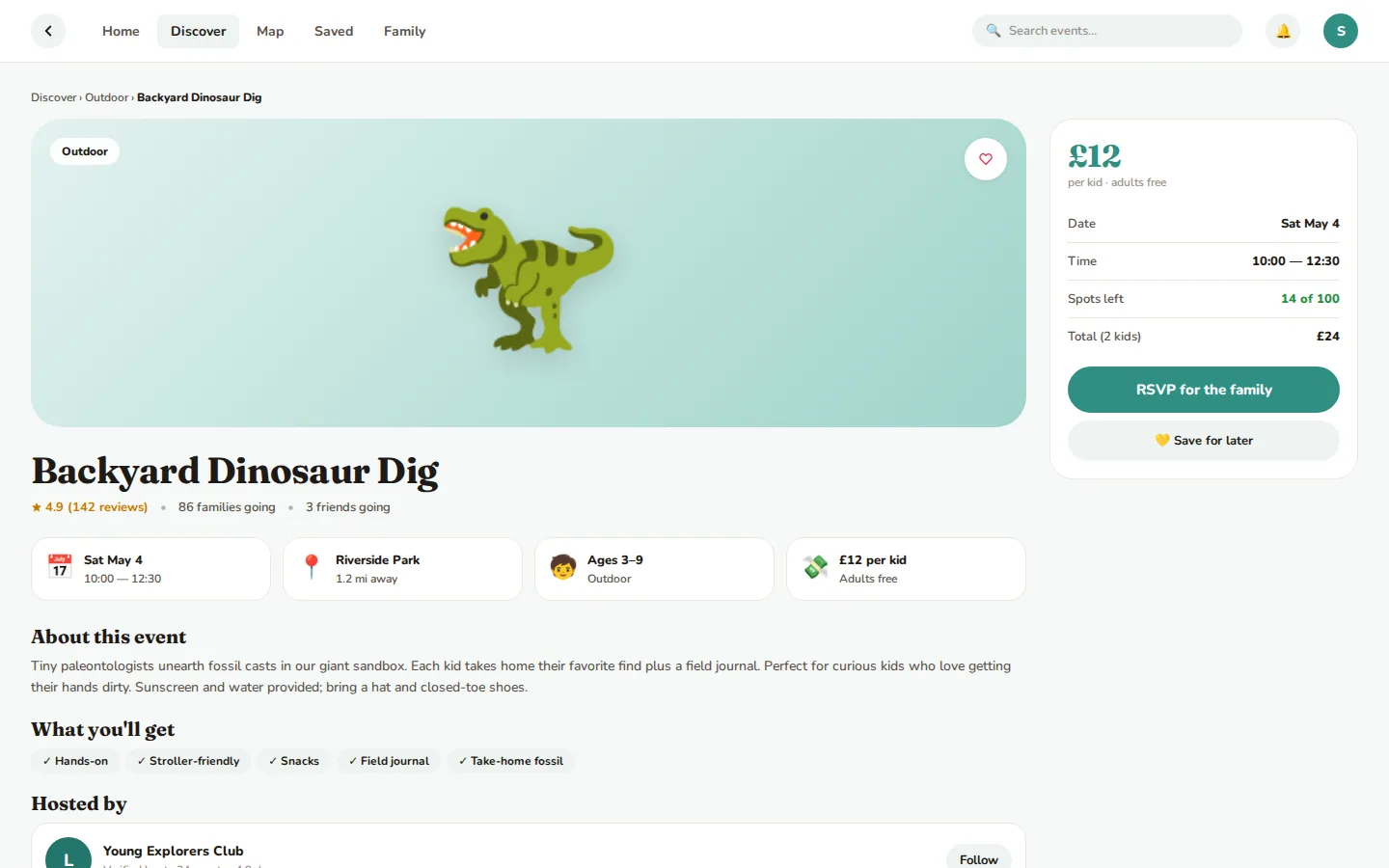
  • Event page. Date, time, venue and distance, ages, price per child, spots left, what the children will get, reviews and the host, with RSVP for the whole family and a running total.
  • Saved. A shortlist of events the family is considering.
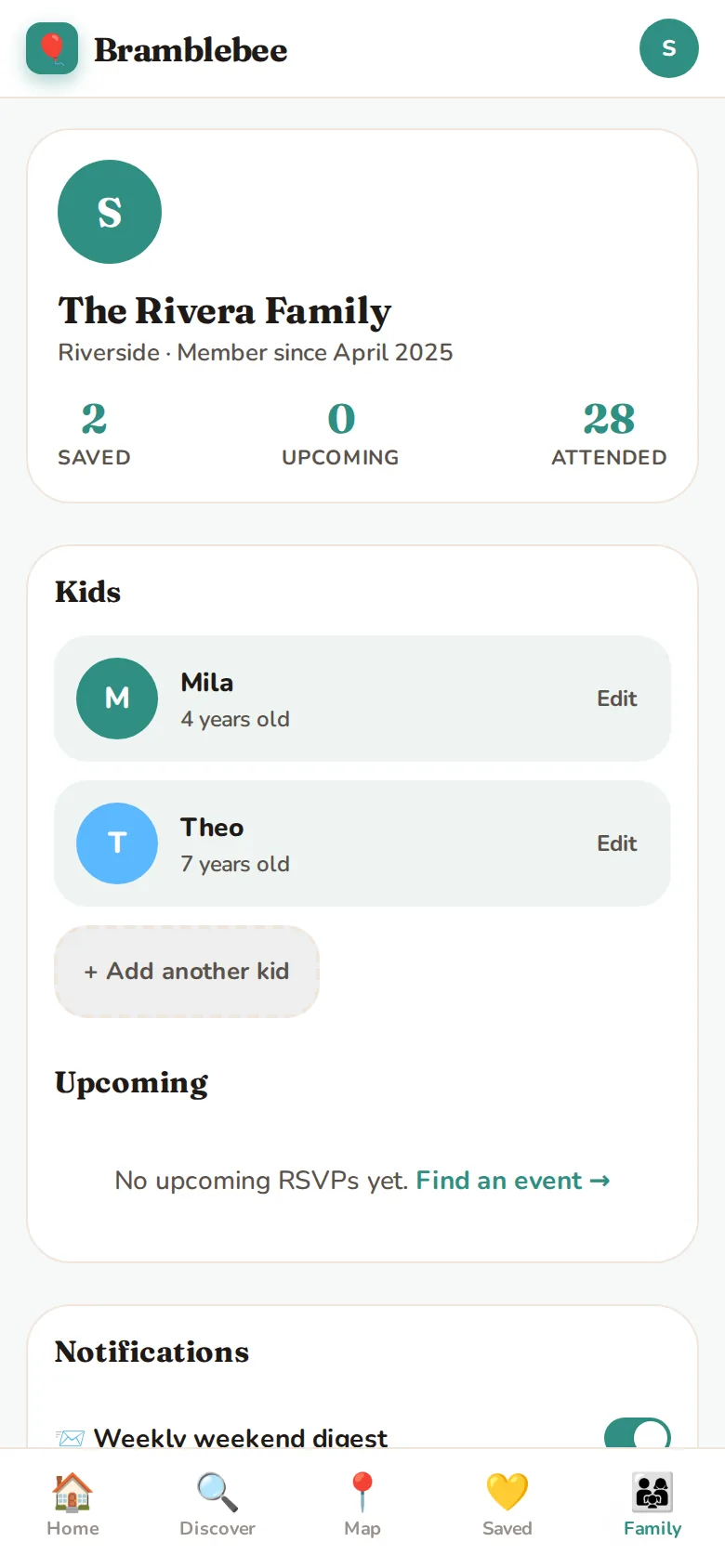
  • Family profile. Children and their ages, saved and upcoming events, and notification settings such as a weekly weekend digest.
Discover screen with filters for day, age range, distance and price
Discover: every filter a parent actually uses, in one sidebar.
Map of nearby family events with prices on the pins
Map: prices on the pins, the list alongside.
Event page with RSVP for the family and price per child
Event page: RSVP for the whole family, with a running total.
Mobile onboarding: add your children and their ages
Mobile home screen
Mobile family profile

Want to see it in action? Request a walkthrough and we will take you through the app.

The client has a complete, working product on desktop and mobile: seven screens that take a parent from "tell us about your kids" to a family RSVP, one component system to extend it from, and a clear, feature-by-feature basis for planning the releases that follow, such as venue accounts, payments and event feeds.

It is the way we recommend starting any consumer MVP: agree the core journey, design it properly and build it on a foundation that can grow. The same approach carries over to native apps from our mobile app developers in London. Event names, venues and families shown here have been changed, and the client is not named.

The project in numbers.

7
Core screens, one component system
2
Surfaces · desktop and mobile
6
Event categories
0–16
Age range every screen filters by
£3k
Approx. discovery sprint
2 weeks
Approx. discovery timeline
£22k
Approx. MVP budget, web + mobile
10 weeks
Approx. MVP time to launch

Typical budget for an app of this scope, from our published price bands; indicative, excluding VAT. Every project is priced after a discovery sprint.

Built to grow into the full product.

React 18JavaScript (JSX)CSS design tokensResponsive web · mobile + desktopClient-side state

Related: MVP development · mobile app development · discovery phase · UI/UX design

Questions founders ask us.

How much does a family events app cost to build?

It depends on scope, integrations and platforms. A focused MVP typically starts from £10,000 and a full production build from £30,000; an app of the scope shown here usually lands at around £22k for the first release. Every project is priced after a discovery sprint.

Can the app show events that suit each child's age?

Yes. Each family adds their children once, and every list, map and recommendation is filtered by those ages, so parents only see events their children can actually go to.

Do you build for iOS, Android and web?

Yes. We build native iOS and Android apps, cross-platform apps with React Native or Flutter, and responsive web apps, often from one shared design system, as in this project.

Got a similar problem?

Want your project on this page next?

30-minute call with the team behind this build. We'll tell you what we'd actually do in your shoes — no decks, no pitch.

Book a call
— Cookies

We use cookies to measure traffic and make our marketing more relevant. Necessary cookies stay on. See our Privacy and Cookie Notice.

Free 30-min consult Free consult